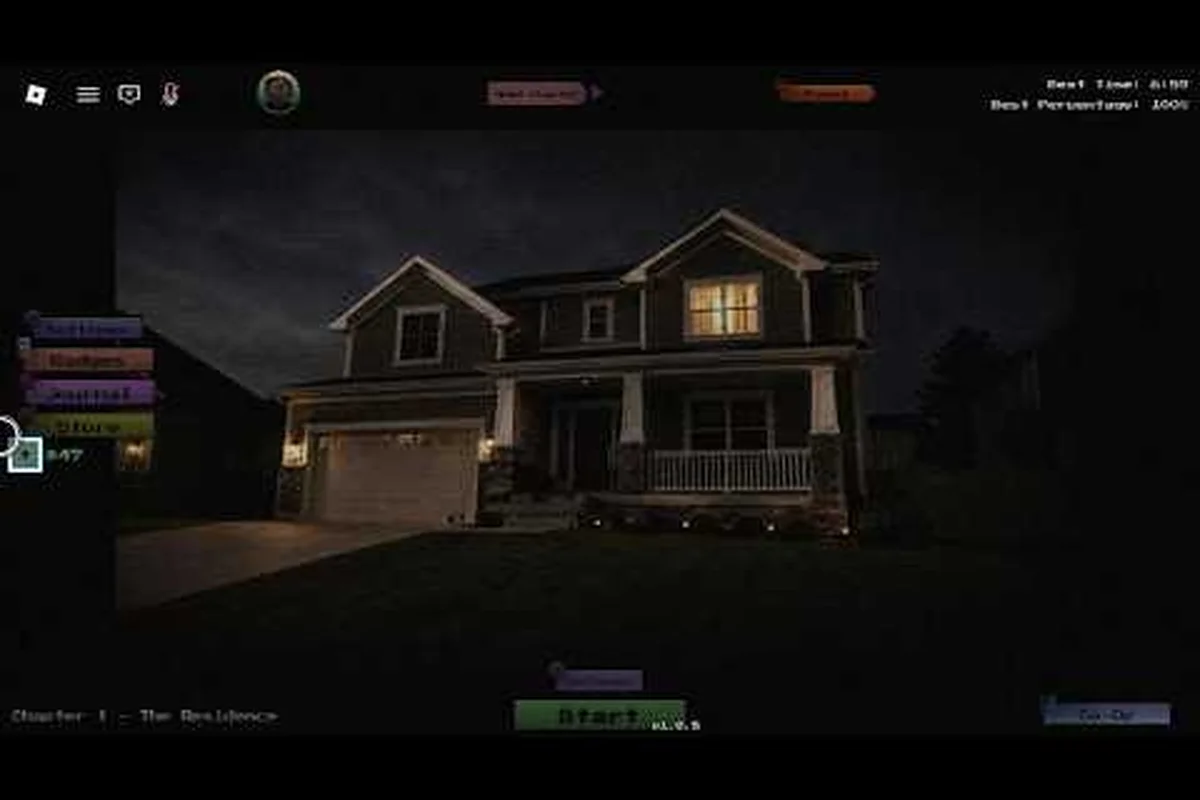
Every Anomaly Detected entity types entry operates on a different timer, a different camera, and a different "did you actually look" check, which is why new clerks keep bleeding shifts before they understand who is who. A solid threat tier list separates the entities you can safely ignore from the ones that will eat your run the moment you blink at the wrong feed. This guide breaks down every monster behavior, ranks each by danger across the five chapters, and gives you a repeatable path to stay alive on Veteran without memorizing every pixel of the Anomaly Detected in Roblox (Cr1ms0nX) video guide.
How Anomaly Detected Entity Behavior Works
The first thing to understand is that "entity" in this Roblox survival/horror experience does not mean a wandering jumpscare prop. Every Anomaly Detected entity is a scripted threat tied to a specific camera and a specific rule. Your job as the night clerk is to read a CCTV feed, decide whether something is wrong, and report it through the desk interface. If you miscall, you waste report points. If you miss, the meter ticks toward a failed shift. The whole "monster" loop is built on a cause-and-effect cycle: anomaly appears → timer starts → you judge → consequence lands.
The game ships with five chapters (Residential, Street, School, Hospital, Mall), and the entity roster changes as you move through them. Each chapter also includes a separate Journal that tracks which entities you have personally encountered, and a difficulty toggle that includes the punishing Veteran mode. According to community data gathered from shift logs, the average first-time player loses their run in Chapter 2 because they don't yet know that the higher-tier entities in Anomaly Detected share triggers with their lower-tier cousins. The behavior patterns repeat — only the stakes and the spawn timers change.
A key part of learning Anomaly Detected entity behavior is recognizing that monsters fall into three broad classes: prowlers, observers, and punishers. Prowlers wander into a camera and can be safely ignored if you don't break your report rule. Observers watch your behavior (how long you stare, whether you alt-tab, whether you switch feeds) and escalate. Punishers appear only after a failed judgment and end the shift if you hesitate. This classification is the backbone of the rest of the article and the way most veteran players mentally build their own threat tier list.
Anomaly Detected Entity Types Ranked by Threat Tier
Below is a community-driven threat tier list that ranks every Anomaly Detected entity types entry by how much damage it does to a run on Standard difficulty. The list is built from aggregated player reports and cross-checked against the chapter Journals. Tier S is "instant-loss if you don't know the counter," Tier A is "high-pressure but learnable in one shift," Tier B is "annoying but survivable," and Tier C is "essentially free if you stay calm."
| Tier | Entity | Chapter | Trigger | Counter | Threat Source |
|---|---|---|---|---|---|
| S | Shift Watcher | Hospital | Appears in Cam 4 after report #6, never leaves | Do not report; do not switch feeds | Mis-report = strike 3 |
| S | Mall Walker | Mall | Walks Cam 7 every 90s, can teleport to Cam 1 | Stare 3s, then look away | One wrong call = penalty |
| A | Hallway Lurker | Residential | Stalks Cam 2 between 02:00–04:00 | Report only if outside the door | New players miscall 70%+ |
| A | Staircase Shade | School | Spotted on Cam 6, may climb | Wait for second appearance to report | Fast decision pressure |
| A | Street Silhouette | Street | Silhouette on Cam 3, mimics traffic | Verify the back wall before reporting | Looks identical to normal pedestrians |
| B | Light Flicker | Residential | Cam 1 bulbs stutter randomly | Never report; not an anomaly | Bait for false reports |
| B | Door Shudder | School | Cam 6 door rattles twice | Report only the second hit | Two-frame timing window |
| C | Dust Mote | Hospital | Particles on Cam 2 every shift | Never report | Pure visual noise |
| C | Ceiling Crawler (idle) | Mall | Cam 8, stays still | Never report | Look-alike for real threat |
The Shift Watcher deserves special mention because it is the single most reported "why did I die" entity in the Anomaly Detected community. The trap is simple: it looks like a standard prowler, but the moment you report it, your strike counter moves to 2. It is designed to test your restraint, and the only counter is discipline. If you want the full roster across all five chapters, the complete anomaly list guide maps every camera and trigger.
How the Monster Works on Veteran Difficulty
Veteran mode tightens every timer and removes the lenient first-strike forgiveness, which means the threat tier list above effectively shifts one column to the left. A Tier B entity on Standard can end your run on Veteran if you blink at the wrong time. Players who have completed the full five-chapter arc report that the biggest jump is between Street and School, where the Staircase Shade and Door Shudder start overlapping in the same camera feed. You will see both, and only one of them is a real threat at any given moment. This is also where learning Anomaly Detected how the monster works stops being optional and starts being the difference between finishing Chapter 3 and losing your Journal progress.
Prowler vs Observer vs Punisher: Behavior Comparison
Most Anomaly Detected entity behavior falls into one of three mechanical categories, and knowing which class an entity belongs to tells you the correct decision before you even check the camera. Prowlers wander, observers watch, and punishers strike. The table below condenses the differences in a way you can read at a glance mid-shift.
| Class | Defining Behavior | Spawn Pattern | Optimal Player Action | Common Mistake |
|---|---|---|---|---|
| Prowler | Wanders one camera, can be ignored if rules are followed | Periodic, predictable | Stare to confirm, do not report unless rule says so | Reporting "just to be safe" |
| Observer | Watches player behavior, escalates over time | Triggered by player action | Look away, switch feeds, reset attention meter | Staring or alt-tabbing while present |
| Punisher | Appears after failed judgment, fast resolution | One-shot per shift | Report instantly, no hesitation | Hesitating to "double check" |
The practical takeaway: when you see a prowler, your instinct should be stare briefly, then move on. When you see an observer, your instinct should be break eye contact and switch cameras. When you see a punisher, your instinct should be report now. Mixing these three responses up is the most common reason shifts end before Chapter 4, and it is the same mistake highlighted in the Anomaly Detected all jumpscares breakdown, where many "scary moments" are actually punishers reacting to player hesitation.
Why Behavior Class Matters More Than Appearance
A common rookie mistake is trying to memorize the visual look of every Anomaly Detected entity types entry. That approach fails fast because the developer re-skins several entities per chapter to keep the visual database changing. The behavior class, however, stays stable. A prowler in the Residential chapter behaves like a prowler in the Mall — same trigger, same counter, same response. Once you lock in the prowler/observer/punisher framework, you can walk into a new chapter and react correctly within the first shift, which is the only realistic path to a clean Veteran run.
Best Way to Avoid the Entity: Survival Workflow by Chapter
A consistent workflow is the best way to avoid the entity in Anomaly Detected, because the game punishes improvisation more than it punishes mistakes. Below is a per-chapter survival flow tuned for Standard difficulty that you can also carry into Veteran with minor timer adjustments. The flow assumes a single-player run, but co-op with up to 8 players mostly just splits which cameras each person watches.
Residential (Chapter 1)
-
Watch Cam 2 and Cam 4 in a fixed rotation; ignore Cam 1 (flicker bait).
-
Only report on Cam 2 if the figure is inside the doorframe, not approaching it.
-
Use the first 3 minutes of the shift to confirm the "normal" baseline for every camera.
-
Treat the Light Flicker as a non-threat every time; do not let it bait a report.
Street (Chapter 2)
-
Cam 3 is the trap: silhouettes that look like normal pedestrians.
-
Cross-reference the back wall of Cam 3 — only report if the wall has changed.
-
Stare at the Street Silhouette for at least 2 seconds before deciding; it teleports off-screen if you look away too fast.
-
For a full breakdown of how this chapter fits into the larger arc, the Anomaly Detected chapter order guide maps the recommended progression.
School (Chapter 3)
-
Cam 6 is the high-pressure camera; both Staircase Shade and Door Shudder appear here.
-
Report the door only on the second rattle; report the shade only on the second appearance.
-
Rotate Cam 5 and Cam 6 every 20 seconds to avoid the observer attention timer.
Hospital (Chapter 4)
-
The Shift Watcher spawns at Cam 4 after your sixth report — this is the single most important rule in the chapter.
-
Never report the Shift Watcher; do not switch to Cam 4 more than twice in a 60-second window.
-
Treat the dust mote on Cam 2 as permanent visual noise; ignoring it is correct.
Mall (Chapter 5)
-
The Mall Walker is the chapter's marquee threat; it can teleport from Cam 7 to Cam 1 if you stare too long.
-
Stare for 3 seconds, then look away; repeat every cycle.
-
For camera positioning details, the Anomaly Detected camera layout guide shows every angle in the final chapter.
Advanced Reads: Spawn Timers, Audio Cues, and the Monster Mechanics Hidden Layer
Once you have the basic workflow locked, the next layer of skill is reading the spawn timers and audio cues. Each Anomaly Detected monster mechanic leaves a small tell, and the top players on the community leaderboards use these tells to predict spawns 5–10 seconds early. The cues are subtle, but consistent across shifts.
| Cue | What You Hear/See | Entity It Signals | Recommended Response |
|---|---|---|---|
| Low hum on Cam 2 | Audio drops below baseline | Observer spawning | Switch cameras immediately |
| Door rattle once | Single impact, no second | Door Shudder priming | Wait and watch |
| Shadow on back wall | Movement behind Cam 3 subject | Street Silhouette active | Stare 2s, then break |
| Cam 4 brightness pulse | Screen briefly brightens | Shift Watcher incoming | Stop all reports |
| Whistle from Cam 6 | One high note | Staircase Shade on move | Wait for second appearance |
Reading these cues is essentially how the monster works in Anomaly Detected at a meta level: each entity is a script, and the script always telegraphs before it triggers. If you want a deeper dive into the shadow figure and the related observer family, the dedicated Anomaly Detected the entity guide covers the design intent and the most common misreads.
Stamina, Reports, and the Resource Layer
The reason spawn timing matters is that you have a limited pool of reports per shift. Burning reports on Tier B entities like the Light Flicker is the fastest way to leave yourself without a counter when the Shift Watcher or Mall Walker appears. Veteran players plan a "report budget" before each chapter and refuse to spend more than 60% of it on early-shift anomalies. This resource layer is the part of Anomaly Detected how the monster works that most beginners never see, and it is the single biggest reason skilled players finish Chapter 5 on Standard while newer players stall out in Chapter 2.
Tier List FAQ and Entity-Specific Questions
This section addresses the most common follow-up questions players ask after reading the threat tier list above. The answers are tuned for Standard difficulty unless noted otherwise, and they assume the player has access to all five chapters.
Frequently Asked Questions
What is the most dangerous entity in Anomaly Detected?
The Shift Watcher in the Hospital chapter is consistently ranked as the most dangerous entity because a single mis-report instantly escalates you to strike 2, and the second mistake ends the shift. It is also the entity that punishes the most common rookie habit, which is reporting anything that looks wrong. The counter is restraint, not reaction speed.
Does the threat tier list change on Veteran difficulty?
Yes. On Veteran, every Tier A entity behaves like a Tier S threat, and every Tier B entity behaves like a Tier A threat. Spawn timers tighten by roughly 25%, and the leniency window for mis-reports is removed entirely. Most players report that the Mall Walker becomes the hardest Veteran encounter because its teleport timer shortens enough that a 3-second stare is no longer safe.
Can I avoid every entity in Anomaly Detected by simply not reporting?
No. The game mixes required reports (real anomalies) with bait (non-threats) and punishers (entities that trigger on failed judgment). If you never report, the mandatory anomalies will build up and the shift will end through accumulated non-reports. The correct strategy is targeted reporting, not zero reporting.
How does co-op change Anomaly Detected entity behavior?
Co-op with up to 8 players splits the cameras, which means each person watches fewer feeds. Entity spawn patterns stay the same, but the attention timers on observer-type entities scale with group size. Larger groups can finish a chapter faster, but the Shift Watcher and Mall Walker still appear on the same cameras, so a designated caller who owns the report decision is recommended.
Is there a way to practice Anomaly Detected entity types without losing progress?
Yes. The Residential chapter is designed as a tutorial disguised as a survival level, and the anomaly list is short enough that you can run it repeatedly to learn spawn patterns. Many community players also recommend practicing the observer response (look away, switch cameras) on the Light Flicker in Cam 1 of Residential, because the flicker triggers the same attention meter as the real observers in later chapters.