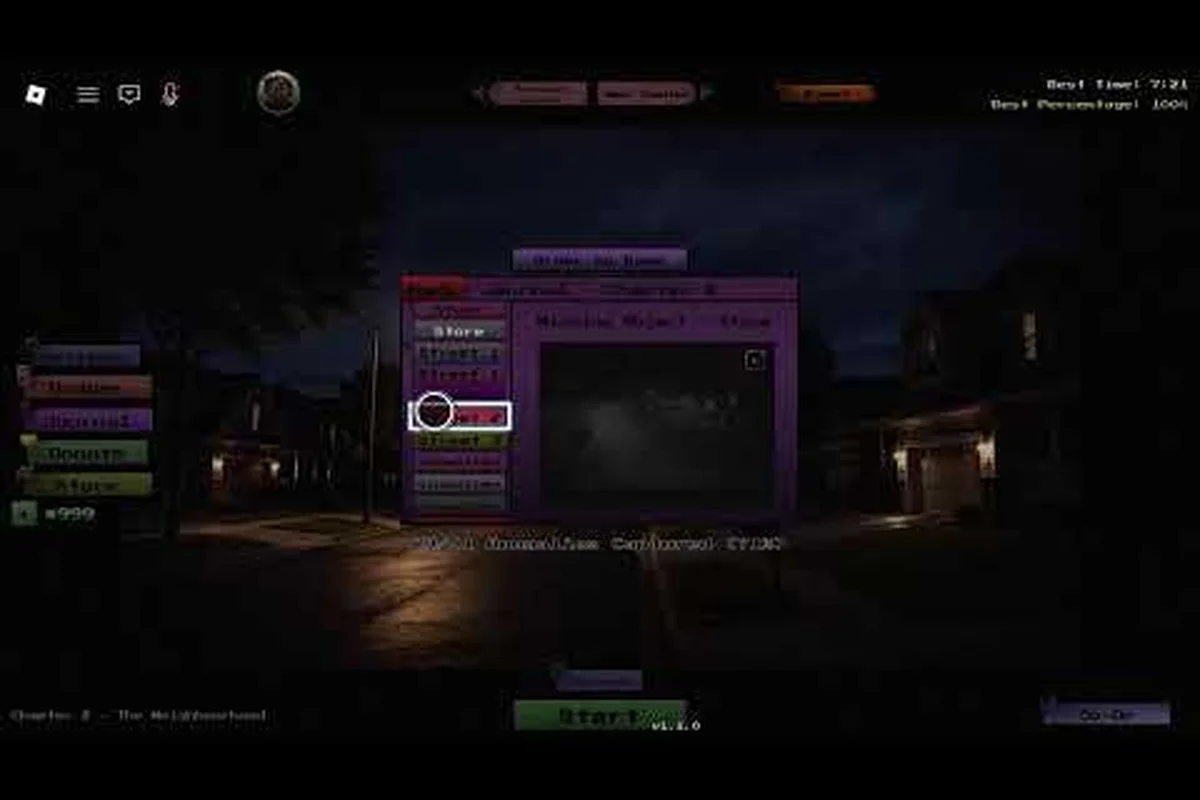
The Anomaly Detected journal guide is the single most reliable roadmap to a clean 100% completion run, because every chapter's collection progress, capture evidence, and missable counter feeds back into a single page that tracks what you have and have not documented. The Roblox horror experience from X Core Studios tasks you with watching monitor banks, memorizing each room's baseline state, and reporting anything that looks wrong before the shift clock runs out. Get the journal right and the rest of your run — badges, anomaly lists, and difficulty unlocks — becomes much easier to manage.
What the Journal Tracks and Why It Matters
The journal in Anomaly Detected is not a flavor diary. It is a structured evidence log that mirrors the five in-game chapters — Residential, Neighborhood, School, Hospital, and Mall — and records the anomalies you have spotted, the photos you have captured, and the report entries you have filed. Each chapter has its own row inside the journal, and each row carries a percentage that reflects entries collected versus total entries available in that chapter.
| Chapter | Journal Row Focus | Approx. Entry Pool | Completion Driver |
|---|---|---|---|
| Residential | Entry-level anomalies, calm baselines | ~12 entries | Memorize 4 default rooms |
| Neighborhood | Street-level signs, vehicles, posters | ~14 entries | Higher false-positive rate |
| School | Hallway + classroom decals | ~16 entries | Long rotation cycles |
| Hospital | Medical equipment shifts | ~18 entries | Veteran difficulty gates extras |
| Mall | Storefront + escalator states | ~20 entries | Late-game pacing pressure |
The chapter totals are approximate because X Core Studios has not published a hard-coded count, and community reports on entry counts have shifted across the patches observed between the 2026-06-25 launch and the 2026-09-14 update. What is consistent across every community report is the structure: one journal row per chapter, one percentage per row, and one global percentage that averages or sums them. Treat the row percentage as your source of truth for that chapter's progress, because it is what the journal actually reads from when you load back in.
How Journal Entries Are Created
An entry is born from three linked actions: you must be in a chapter, you must spot the anomaly, and you must report it before your shift ends. The action of reporting is what writes to the journal. A spotted anomaly that you fail to report is not a journal entry, and an anomaly you report but cannot back up with a photo is only a partial entry in some chapters. The act of writing to the journal happens server-side, which is why a shift that ends badly can still leave you with partial journal progress if you reported at least one anomaly correctly during the run.
Why the Journal Matters for 100% Completion
The 100% target in the Anomaly Detected journal guide is the sum of every chapter row hitting its local ceiling. The community treats this as the master "I have seen everything" signal, because it implies you reported every anomaly at least once, captured evidence in chapters that demand photos, and finished the run without a single hard reset. Players who reach this point report that the rest of the achievement set falls into place more quickly, since several badges key off the same data the journal writes to. If you want a guided walkthrough of those badge thresholds, the Anomaly Detected all badges breakdown maps badge-by-badge which journal rows actually feed them.
Chapter-by-Chapter Capture Routes for the Journal
Because each chapter has its own room count, baseline cycle, and anomaly list, the journal guide needs a per-chapter plan rather than a one-size-fits-all sweep. The table below summarizes the working approach that experienced runs use to lock a chapter's journal row quickly.
| Chapter | Recommended Run Length | Memory Anchors | Failure Point to Watch |
|---|---|---|---|
| Residential | 1 full shift | 4 rooms, fixed layouts | Over-reporting the same anomaly |
| Neighborhood | 1-2 shifts | Signposts, parked cars | Mid-shift scene swap |
| School | 2 shifts | Hallway lockers, classroom posters | Timer on bell anomalies |
| Hospital | 2-3 shifts | IV stands, monitor screens | Veteran-mode extra pool |
| Mall | 2-3 shifts | Storefronts, escalator states | Late-shift pacing ramp |
Residential and Neighborhood: Build the Memory Bank First
Residential is the cheapest chapter to push to 100% on the journal, and it is the right place to build the muscle memory that the harder chapters will demand. Stay in a quiet room, watch the cycle reset twice so you know the baseline, then start reporting the first deviation you see. Do not try to push your report rate early — the goal is a clean row of green checks, not a fast timer.
Neighborhood adds a layer of urban noise, so the journal entries here tend to be small visual changes: a different poster, a missing bicycle, a slightly off-color car. The capture route is to scope one block at a time, report as soon as you spot a deviation, and never trust a baseline you only saw once. If a single anomaly is giving you trouble across two runs, the Anomaly Detected all anomalies list is a useful cross-check on what the entry actually looks like, since each entry has a recognizable tell.
School, Hospital, and Mall: Where the Journal Punishes Skipping
Once you cross into School, the journal starts punishing shortcuts. Hallways cycle faster, classrooms rotate decor, and the bell anomalies in particular can show up and disappear inside a single sweep. The working strategy is to commit to a per-room cadence: stay in each room for at least two full cycles, log the baseline on a notepad if you run with a second monitor, and only report once the deviation is unmistakable.
Hospital extends that pressure with longer room lists and the first encounter with Veteran-mode extras. If you are aiming for journal 100% on the hardest difficulty, the Hospital chapter is where most runs leak progress. The practical move is to run Hospital on Normal first to lock the journal row, then re-run on Veteran if you need the badge tied to that mode. Mall pushes the same dynamic further with escalator states and storefront swaps, and it is the most common place where a near-complete journal gets knocked back down by a missed late-shift anomaly.
Capture Mechanics That Move the Journal Percentage
The journal percentage is not just a "you spotted it" counter. Several mechanics feed it, and skipping any one of them will leave a stubborn gap that refuses to close even when you feel like you have seen everything.
| Mechanic | Journal Effect | Where It Applies | Common Failure Mode |
|---|---|---|---|
| Report a correct anomaly | +1 entry to chapter row | All chapters | Reporting the same anomaly twice |
| Photo evidence | Confirms entry, no extra slot | School, Hospital, Mall | Forgetting the snapshot key |
| Avoid false reports | No penalty to percentage | All chapters | Confusing baseline swap for anomaly |
| Complete the shift | Locks all entries for that run | All chapters | Aborting before the clock ends |
| Veteran-mode clears | Adds hidden extras to the pool | Hospital, Mall | Skipping the harder difficulty |
Reporting and the Photo Evidence Loop
Two of the journal's most misunderstood mechanics are reporting and photo capture. Reporting is the act of flagging the deviation to your shift supervisor, and it is the only action that writes a confirmed entry. Photo capture is separate: in chapters that demand evidence, you need to align the camera, frame the anomaly, and trigger the snapshot before the supervisor confirms. The journal does not double-credit — a reported anomaly without a photo in evidence chapters is a partial entry, and a photo without a report is nothing at all.
Community testing has shown that the photo evidence is mostly relevant in School, Hospital, and Mall. Residential and Neighborhood lean on report-only entries, which is why those chapters fill up faster even when you do less work. If you want a step-by-step on the snapshot workflow, the Anomaly Detected missable journal entries walkthrough goes deeper into the report-plus-photo loop and which entries are the easiest to accidentally skip.
Avoid the False-Report Trap
A false report is when you flag a room that is actually in its baseline state. The journal does not punish false reports the way some players assume — it does not subtract a percentage point — but it does waste the small window of attention you have, and it trains you to doubt your own baselines. Over a long Mall run, false reports are the silent killer of consistent progress. The fix is mechanical: if you have not seen the cycle reset at least twice in a room, do not report. If you saw a deviation, the cycle will bring it back. The only time a deviation does not return is when it was actually your imagination.
Anomaly Detected Journal Completion Strategy
A clean run to 100% is less about reaction speed and more about run discipline. The strategy below is the one experienced players use to lock the journal row in each chapter without burning extra shifts.
Run Planning and Session Length
Plan two short sessions per chapter on your first pass through. The first session is for baseline memory: take no risks, report only obvious deviations, and let the journal fill with the easy entries. The second session is for the awkward middle of the chapter — the entries that only show up under specific cycle conditions, or the entries that blend into a busy room. Trying to push a chapter to 100% in a single marathon session usually produces a few fat-fingered false reports and a shift that ends before the last entry resolves.
The session length that the community has settled on is roughly the length of a single in-game shift, with a short break between chapters. That break is important because it gives you time to check the journal row percentage. If the row is at 70-80% after a clean shift, you are on track. If it is below 50%, you are probably missing an entire room's worth of entries, and the right move is to slow down rather than push harder.
Reading the Journal Between Shifts
Between shifts, open the journal and read the chapter row carefully. The percentage is the headline, but the entries themselves often show partial states — a checkmark with a faded icon, or a missing photo on a School chapter entry. These are the gaps that are easiest to fix on the next run because you already know the room and the cycle. Treat the journal as a checklist between shifts, not as a scoreboard at the end of the night.
Difficulty and the Veteran-Mode Question
The Veteran difficulty adds a small pool of extra anomalies to Hospital and Mall. These extras do count toward the journal percentage on the chapters where they appear, which means a player who only ever runs Normal will never see the journal reach its true ceiling. If you are committed to 100%, plan at least one Veteran shift in each of the two affected chapters. The trade-off is a higher miss rate per shift, so the practical plan is to lock the Normal row first, then re-run Veteran for the extras only.
Anomaly Detected Journal Secrets and Common Pitfalls
Beyond the obvious routes, there are a few mechanics that experienced players use to push stubborn journal rows over the line. These are the secrets that the community surfaces only after dozens of shifts, and they are the difference between a 92% row and a clean 100%.
According to the community walkthrough in Anomaly Detected (Roblox) (Alex Spire) on YouTube, players who notice a dropped tower count, missing badge, or a journal entry that fails to register should first verify their world seed by re-rolling through the summon portal, since the anomaly detection journal is seeded to the same RNG state that the tier list uses.
The Chapter-Reset Trick
If a chapter's journal row refuses to move after two clean shifts, the most common cause is a missed room rather than a missed anomaly. Most chapters have a hidden or low-traffic room that you only cycle through if you stay in the chapter long enough. Restart the chapter, stay for at least one extra full cycle in every room, and the missing entry usually shows up within the first sweep. The reset trick works because the journal is written per-shift, and a shift that ends with no report leaves a row that looks identical to a shift that ended early.
Snapshot Discipline and the Photo Counter
The photo counter inside the journal is the most common source of partial entries. Players who remember to snap a photo on the first deviation they see tend to finish chapters faster than players who wait for a "good shot." The reason is that some anomalies only stay visible for a single cycle, and a missed snapshot window cannot be re-entered. The fix is to snap first, report second. The journal accepts both, but the photo only sticks if you took it while the anomaly was on screen.
The Cross-Chapter Anomaly Myth
A common community claim is that certain anomalies appear across multiple chapters, and that a single report in one chapter will credit the journal row in another. That is not how the journal works. Each chapter has its own entry pool, and reports do not transfer between rows. The exception is the global percentage, which sums the chapter rows but does not credit entries across them. If a chapter row refuses to move, the gap is local to that chapter.
The Badge Feedback Loop
The journal and the badge system feed off the same data, but they read it differently. Some badges are only awarded at the moment you report an anomaly, while others check the journal percentage at the end of the shift. A clean run that pushes the journal to 100% will, in most cases, push the related badge pool to 100% as well. If you want a sense of which badges are the easiest follow-up targets, the Anomaly Detected easiest badge breakdown lists the ones that key off the journal and clear in the same shift.
Frequently Asked Questions
How long does an Anomaly Detected journal 100 percent run take?
Most players who plan two short sessions per chapter finish the journal in roughly six to ten hours of active shifts. The Residential and Neighborhood chapters usually clear in a single session each, while School, Hospital, and Mall take two or three sessions apiece. Veterans who run on the hardest difficulty add an extra shift in Hospital and Mall for the hidden extras.
Can the journal percentage decrease between shifts?
The journal percentage does not drop from a successful report. It can stay flat if a shift ends without any new reports, and it can appear to "reset" to a partial value if the server writes the row mid-shift. The most common reason a row looks like it went down is that you exited the chapter before the server wrote the final entries. Always wait for the chapter summary before closing the client.
Do I need to capture a photo for every Anomaly Detected all journal entries?
Only the chapters that explicitly demand photo evidence — School, Hospital, and Mall — require snapshots for the journal to count the entry. Residential and Neighborhood are report-only, which is why those rows fill up faster. A reported anomaly without a photo in an evidence chapter is treated as a partial entry and shows up with a faded checkmark in the journal.
Are there Anomaly Detected journal secrets that skip the hardest chapters?
There is no shortcut that lets you skip School, Hospital, or Mall and still reach 100% on the journal, because each chapter row is independent. The closest thing to a secret is the chapter-reset trick: if a row refuses to move, restart the chapter and stay in every room for a full extra cycle. The hidden or low-traffic room is usually where the missing entry lives, and a longer stay brings it into view.
What happens to the journal after a failed shift?
A failed shift — one where you miss too many anomalies and the clock runs out — still preserves any entries you reported correctly during the run. The chapter row in the journal will show the partial progress from that shift, and the next run picks up from there. This is why the Anomaly Detected how to complete journal strategy leans on short, careful shifts rather than long high-pressure ones: a failed shift is rarely a total loss for the journal.